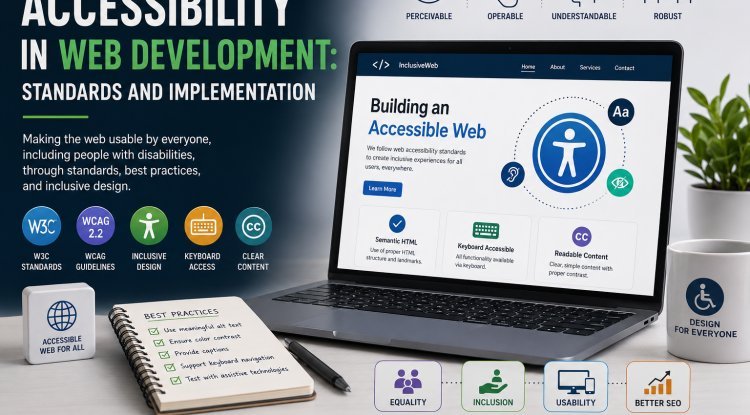
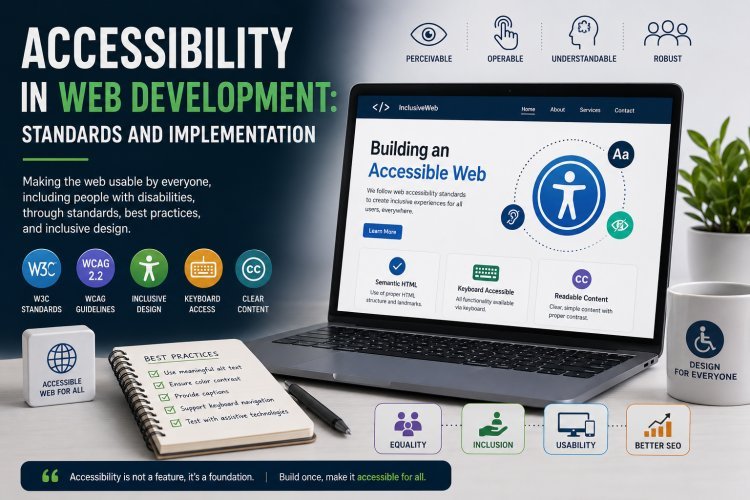
Accessibility in Web Development: Standards and Implementation
Web accessibility ensures digital inclusion through WCAG standards, semantic HTML, ARIA patterns, and testing practices that make applications usable by everyone.
Introduction
Web accessibility has evolved from a compliance requirement to a fundamental aspect of professional web development, reflecting a broader recognition that digital inclusion is both an ethical imperative and a business necessity. By 2026, accessibility is embedded in the development lifecycle of leading organizations, with automated testing tools, component libraries with built-in accessibility support, and specialized accessibility engineering roles becoming standard practice. The Web Content Accessibility Guidelines have been updated to address emerging technologies including single-page applications, virtual and augmented reality interfaces, and AI-powered user experiences.
The business case for accessibility has strengthened considerably. Organizations with accessible websites reach a larger audience, including the over one billion people worldwide living with disabilities. Accessibility improvements enhance the user experience for all users, not just those with permanent disabilities. Search engines favor accessible websites in rankings. Regulatory compliance requirements have expanded, with legal liability for inaccessible digital experiences increasing through both litigation and regulatory enforcement actions across multiple jurisdictions.
This article examines the current state of web accessibility standards and implementation practices, covering the technical foundations, development workflows, testing methodologies, and organizational practices that produce accessible digital experiences. The analysis addresses both the WCAG framework and the practical implementation patterns that developers need to build truly accessible applications.
Background
The Web Content Accessibility Guidelines were first published by the World Wide Web Consortium in 1999, establishing a framework for making web content accessible to people with disabilities. WCAG 1.0 provided basic guidance focused primarily on HTML content. WCAG 2.0, published in 2008, introduced the four principles of accessibility that remain foundational: perceivable, operable, understandable, and robust. WCAG 2.1 added success criteria for mobile accessibility, low vision, and cognitive disabilities in 2018. WCAG 2.2 in 2023 further expanded coverage for cognitive accessibility and input modalities.
The development of WCAG 3 has been underway since 2021, representing a fundamental restructuring of the accessibility framework. WCAG 3 moves from the binary pass-fail model of WCAG 2 to a continuous scoring approach that provides more nuanced measurement of accessibility quality. It introduces new guidance for emerging technologies including extended reality, voice interfaces, and AI systems. WCAG 3 also addresses the accessibility of authoring tools and development environments, recognizing that accessible development workflows produce more accessible output.
The legal landscape for digital accessibility has evolved significantly. The Americans with Disabilities Act has been interpreted to apply to websites and mobile applications, leading to thousands of lawsuits annually in the United States. The European Accessibility Act requires that products and services including websites, mobile apps, e-books, and e-commerce platforms meet accessibility standards by 2025. Similar legislation exists in Canada, Australia, Japan, and other jurisdictions. The trend is toward stricter enforcement, broader coverage, and higher penalties for non-compliance.
Technology industry initiatives have driven awareness and adoption of accessibility practices. Microsoft's inclusive design methodology, Apple's comprehensive accessibility features, and Google's accessibility advocacy have raised the profile of accessibility in product development. Open-source accessibility resources including the WAI-ARIA Authoring Practices Guide, the A11y Project, and accessible component libraries have made it easier for developers to implement accessibility correctly.
Technical Explanation
Semantic HTML forms the foundation of web accessibility, providing built-in meaning and behavior that assistive technologies can interpret reliably. Semantic elements including nav, main, article, section, aside, header, footer, and figure convey the structure and purpose of content without additional ARIA attributes. Heading levels h1 through h6 create an outline of content hierarchy that screen reader users navigate efficiently. Properly structured forms with associated label elements, fieldset groupings, and descriptive legends ensure that form controls are understandable and operable.
The Accessible Rich Internet Applications specification extends HTML semantics for complex user interface components that lack native HTML equivalents. ARIA provides roles that define the type of widget such as button, dialog, tabpanel, and progressbar. ARIA states and properties describe current conditions including expanded state, checked state, and describedby relationships. ARIA should be applied according to the first rule of ARIA: if a native HTML element provides the needed semantics and behavior, use the native element rather than adding ARIA. Incorrect ARIA usage can create accessibility barriers worse than no ARIA at all.
Keyboard accessibility ensures that all interactive elements are operable through keyboard input alone. Users with motor disabilities, screen reader users, and power users rely on keyboard navigation. Every interactive element must receive keyboard focus, and custom interactive components must implement keyboard event handling that matches user expectations. Tab order should follow the visual reading order, and focus indicators must be clearly visible with sufficient contrast against the background. Skip navigation links allow keyboard users to bypass repeated content and reach main content directly.
Color contrast requirements ensure that text and visual information are distinguishable for users with low vision, color vision deficiencies, and in challenging viewing conditions. WCAG 2.2 Level AA requires a contrast ratio of at least 4.5 to 1 for normal text and 3 to 1 for large text. Level AAA requires 7 to 1 for normal text and 4.5 to 1 for large text. Non-text content including icons and graphical objects must have a contrast ratio of at least 3 to 1 against adjacent colors. Color should never be the sole means of conveying information, ensuring that content is understandable without color perception.
Screen reader compatibility requires that all content and interactive elements are programmatically determinable. Alternative text for images conveys the information or function that the image represents. Decorative images use empty alt attributes to be ignored by screen readers. Complex images including charts and diagrams require detailed descriptions in surrounding text or through aria-describedby. Dynamic content updates must be announced through live regions that cause screen readers to announce changes without user interaction.
Responsive and adaptable design ensures that content is accessible across devices, screen sizes, and user preferences. Content must be reflowable without horizontal scrolling at 400 percent zoom. Text must be resizable without loss of content or functionality. Touch targets for mobile interfaces must be at least 44 by 44 CSS pixels with adequate spacing to prevent accidental activation. Design should support user preferences including reduced motion, high contrast, and dark mode through the prefers-* media queries.
Development Practices
Integration of accessibility into the development lifecycle begins with design. Design systems should include accessibility specifications for color contrast, focus indicators, touch targets, typography, and spacing. Design reviews should include accessibility criteria with automated contrast checking and manual review for logical reading order, heading structure, and label associations. Prototypes should be tested with assistive technology users before development begins.
Component libraries and design systems should implement accessibility by default. Accessible components include proper ARIA roles and attributes, keyboard interaction handlers, focus management, and screen reader announcements. Component documentation should specify accessibility properties, expected behavior, and any known limitations. Organizations using component libraries should verify that their chosen library meets accessibility standards rather than assuming third-party components are accessible.
Automated testing tools identify a subset of accessibility issues including missing alternative text, insufficient color contrast, missing form labels, and incorrect heading hierarchy. Tools including axe-core, WAVE, Lighthouse, and Accessibility Insights integrate into development workflows through IDE plugins, CI/CD pipelines, and browser extensions. Automated testing catches approximately 30 to 50 percent of accessibility issues, making it a valuable but insufficient component of a comprehensive testing strategy.
Manual testing by developers and QA engineers catches issues that automated tools miss. Testing activities include keyboard-only navigation testing, screen reader testing with NVDA and VoiceOver, zoom testing at 200 and 400 percent, high contrast mode testing, and content readability review. Manual testing should be guided by WCAG success criteria and documented through structured test cases that can be repeated across releases.
User testing with people with disabilities provides the most reliable assessment of accessibility quality. Testing sessions with screen reader users, keyboard-only users, users with cognitive disabilities, and users with low vision reveal real-world accessibility barriers that automated and expert manual reviews may miss. Organizations should include accessibility user testing in their regular user research programs, compensating participants fairly and incorporating findings into development prioritization.
Challenges
Single-page application frameworks introduce accessibility challenges that static HTML pages did not face. Dynamic content updates, client-side routing, and complex state management require careful accessibility implementation. Focus management after route changes ensures that screen reader users are oriented to new content. Live region announcements notify users of dynamic content updates. Loading states and asynchronous content must be communicated accessibly. The complexity of SPA accessibility has driven the development of framework-specific accessibility patterns and testing tools.
Content management systems often produce inaccessible output despite accessible themes and templates. Content authors may add images without alternative text, create heading structures that violate hierarchy rules, insert tables without proper markup, and paste content from word processors with hidden accessibility issues. CMS platforms should enforce accessibility requirements through validation, provide accessibility guidance in the authoring interface, and offer remediation suggestions for accessibility issues in published content.
Third-party integrations including ads, social media widgets, chatbots, and analytics scripts often introduce accessibility issues that the host organization cannot control. Embedded third-party content may not be keyboard accessible, may interfere with screen reader navigation, and may not respect user preferences for reduced motion. Organizations should establish accessibility requirements for third-party vendors, test integrated content regularly, and provide accessible alternatives when third-party content cannot be made accessible.
Performance and accessibility interactions require consideration during development. Resource-intensive accessibility features, poorly optimized alternative text for decorative elements, and inefficient DOM structures for accessible components can degrade performance. Conversely, performance optimizations including lazy loading, code splitting, and skeleton screens must be implemented with accessibility in mind. The intersection of performance and accessibility should be evaluated as part of the development process rather than treated as separate concerns.
Industry Impact
Accessibility engineering has emerged as a recognized specialty within web development. Organizations with mature accessibility programs employ dedicated accessibility engineers, accessibility program managers, and accessibility consultants. The job market for accessibility professionals has grown annually as demand for accessible digital experiences outpaces the supply of skilled practitioners. Accessibility certifications including the International Association of Accessibility Professionals certification have become recognized credentials in the field.
The accessibility technology market has grown to support the expanding accessibility ecosystem. Assistive technology including screen readers, screen magnifiers, speech recognition software, and alternative input devices continues to improve in capability and affordability. Automated accessibility testing tools have become more sophisticated, providing better coverage and fewer false positives. Accessibility monitoring platforms offer continuous scanning and reporting for organizations managing large portfolios of digital properties.
Regulatory enforcement has intensified across jurisdictions. The European Accessibility Act has driven compliance efforts across the European Union. In the United States, Department of Justice guidance has clarified that websites are covered under the ADA, and litigation continues to drive organizational attention to accessibility. Legal settlements often include requirements for ongoing accessibility programs, independent monitoring, and remediation plans that extend beyond the immediate legal case.
Future Outlook
AI-powered accessibility tools are emerging to address limitations of current automated testing approaches. Machine learning models can identify accessibility issues that traditional rule-based tools miss, including missing heading hierarchy, unclear link purpose, and complex navigation structures. AI can generate alternative text for images, suggest ARIA attributes for custom components, and recommend remediation approaches for identified issues. However, AI-generated accessibility content requires human review to ensure accuracy and appropriateness.
Personalized accessibility experiences that adapt to individual user needs represent a frontier in digital inclusion. Rather than designing for a single accessible experience, future digital products may provide personalized interfaces that adapt based on user preferences, device capabilities, and environmental context. Adaptive interfaces might adjust font size, color contrast, layout complexity, and interaction patterns based on individual user requirements while maintaining the same underlying content.
Accessibility in emerging technologies including virtual reality, augmented reality, voice interfaces, and conversational AI requires new approaches to accessibility standards and testing. WCAG 3 addresses some of these technologies, but the accessibility community continues to develop guidance for immersive experiences. Haptic feedback, spatial audio, gesture recognition, and multimodal interaction patterns offer new opportunities for inclusive design but also present new accessibility challenges that require ongoing research and standardization.
FAQ
What is the difference between WCAG Level AA and Level AAA?
Level AA is the target compliance level for most organizations and legal requirements, including the European Accessibility Act and US federal government requirements under Section 508. Level AAA provides the highest level of accessibility but is not achievable for all content, particularly archived documents, real-time media, and certain visual presentations. Organizations should aim for Level AA compliance while implementing Level AAA success criteria where feasible.
Do we need to make our website accessible if our audience is primarily non-disabled?
Yes. Accessibility is a legal requirement regardless of perceived audience demographics. Approximately 15 to 20 percent of the global population has some form of disability. Many disabilities are non-apparent, including cognitive disabilities, hearing loss, and vision conditions that affect reading but are not classified as blindness. Additionally, accessibility improvements benefit all users including those using mobile devices, users in challenging lighting conditions, and users with temporary limitations.
How much does it cost to make an existing website accessible?
The cost varies widely depending on the current state of the website, the complexity of the application, and the maturity of the organization's accessibility practices. Remediation costs for existing websites typically range from 5 to 30 percent of the original development cost. However, organizations that integrate accessibility from the beginning of development invest approximately 1 to 3 percent of development budget on accessibility, making proactive accessibility significantly more cost-effective than remediation.
What automated accessibility testing tools should we use?
Axe-core from Deque is the industry standard for automated accessibility testing, available as browser extensions, npm packages, and CI/CD integrations. WAVE from WebAIM provides visual overlays that highlight accessibility issues on rendered pages. Google Lighthouse includes accessibility audits as part of its comprehensive page analysis. Accessibility Insights from Microsoft provides guided testing workflows for both automated and manual testing. Using multiple tools in combination provides better coverage than relying on any single tool.
How do we convince our organization to invest in accessibility?
Build the business case on multiple arguments including legal risk reduction, market reach expansion, brand reputation, innovation catalyst, and user experience improvement. Present data on the size and economic power of the disability market. Share examples of legal actions and their costs. Reference competitor accessibility improvements. Start with a pilot project demonstrating the feasibility and value of accessibility improvements. Identify internal champions including employees with disabilities who can share their experiences.
Conclusion
Web accessibility is a fundamental requirement of professional web development in 2026, shaped by mature standards including WCAG, evolving legal requirements, and growing recognition of the business and ethical imperative of digital inclusion. Building accessible web experiences requires technical knowledge of semantic HTML, ARIA, keyboard interaction, and assistive technology compatibility, combined with development practices that integrate accessibility throughout the design, development, and testing lifecycle.
The challenges of implementing accessibility across complex modern web applications are significant but manageable with the right tools, practices, and organizational commitment. Single-page applications, content management systems, third-party integrations, and emerging technologies each present specific accessibility challenges that require targeted solutions. Organizations that invest in accessibility expertise, tooling, and processes consistently achieve better accessibility outcomes and lower long-term costs.
The most successful accessibility programs share common characteristics: executive sponsorship and organizational commitment, dedicated accessibility expertise, integration of accessibility into existing development workflows, automated and manual testing processes, and ongoing user testing with people with disabilities. These organizations recognize that accessibility is not a project with an end date but an ongoing commitment to digital inclusion that evolves as technology and standards evolve.
References
1. W3C Web Accessibility Initiative (2025). Web Content Accessibility Guidelines WCAG 2.2. World Wide Web Consortium.
2. Cooper, M. et al. (2024). Inclusive Design Principles: Designing for Accessibility. Interaction Design Foundation.
3. Horton, S. and Quesenbery, W. (2023). A Web for Everyone: Designing Accessible User Experiences. Rosenfeld Media.
4. Pickering, H. (2025). Inclusive Design Patterns: Coding Accessibility into Web Design. Smashing Magazine.
5. Connolly, D. et al. (2024). Accessibility Testing: Methods and Tools for Web and Mobile Applications. ACM Transactions on Accessible Computing, 16(3), 1-32.
6. Abrar, H. (2025). Practical Accessibility: A Developers Guide to Inclusive Web Applications. O'Reilly Media.
7. W3C Web Accessibility Initiative (2025). ARIA Authoring Practices Guide. World Wide Web Consortium.